
- 【UE5】WidgetでImageコンポーネントのマテリアルパラメータを変化させる方法
- Unreal Engine 5.8 最新アップデート総おさらい
- レトロ アニメの世界を舞台にしたゲーム開発の舞台裏:『オービタルズ』のレンダリング手法
- Beyond Native: Real-Time Scientific & Cable Simulation in…
- PAK to the Future: UGC in Unreal Engine…
- UE5:Editor Utilityを活用したツール制作術第23回:未使用のノードへジャンプするメニュー
- 【Tripo】3Dモデル生成AI検証 Part2 3Dモデル生成編
- 【Tripo】3Dモデル生成AI検証 Part1 画像生成編
- Building Together: Collaboration & Branching Workflows in UEFN…
- The Blood of Dawnwalker | Developer Interview |…
- Project Health in Unreal Engine: The Technical Indicators…
- How a Solo Dev Made a Blueprint Online…
- UE5.8公式勉強会「Unreal Engine Tokyo Dev Days 26’」、講演資料がすべて公開。Unreal MCPやLoreなど最新情報を解説
- Incremental Cooking in UE 5.7: A Dive Into…
- [スライド] [Tokyo DevDays 26'] HordeアップデートとLore入門
- [スライド] [Tokyo DevDays 26'] Epic Online Servicesを使い始めるために
- A Deep Dive into Unreal Build Accelerator |…
- [スライド] [Tokyo DevDays 26'] やるなら今!UE5.8ではじめるAnimationとMetahuman 【Metahuman編】
- [スライド] [Tokyo DevDays 26'] MegaLights入門 - その仕組みと最適化方法について
- One Engine, Many Surfaces: Scaling Rivian’s In-Vehicle &…
- [スライド] [Tokyo DevDays 26'] Iris And Mover Networking
- [スライド] [Tokyo DevDays '26] マルチプラットフォームを見据えたグラフィクスのスケーラビリティ戦略
- [UE5]第26回UE5ぷちコン応募作品公開!その1
- Shape Cage | WPOを使用しStatic Meshを低負荷で潰す&曲げる&凹ませる!物理衝突やカーテン開閉にも対応したUE5向けランタイムメッシュ変形プラグイン!
- [スライド] [Tokyo DevDays 26'] Unreal Engine MCP 🚀導入・💡応用・🛠️カスタマイズ
- [スライド] [Tokyo DevDays 26'] UE5のUIフレームワークとUIアニメーションの解説
- [スライド] [Tokyo DevDays 26'] 開発効率化のための Zen 利用ベストプラクティス
- Advanced Simulation of Non-Visual Spectrum Sensors | Unreal…
- Agora Studio’s Real-Time Animation Workflow in UE5 |…
- ゲーム開発関連ツールのリリース・アップデートまとめ【2026/8/29】
- 8 月の Epic 学習コンテンツ:ネットワーク対応物理、ダイナミック オーディオなど
- UE5用の公式サンプルプロジェクト「City Sample」がUE5.8に対応。MCPとPCGで構築された2つのレベルが新規収録
- 【UE5】Widget Animationの基本的な使い方
- My Colors | Unreal Editor内で自分専用のカラーライブラリを構築!画像やViewportからの色抽出&UI配色生成にも対応した無料プラグイン!
- UE5のサウンド基盤はどう選ぶ? 標準Audio(MetaSounds含む)・Wwise・FMOD・CRI ADXを実務要件で比較する
- City サンプル 5.8
- City サンプルが PCG および Unreal MCP ワークフローを活用して大幅に更新
- FPOM - Fast Parallax Occlusion Mapping | 低コストなPOMでNanite…
- [スライド] [Tokyo DevDays 26'] UE5.8 最新プロシージャル技術解体新書
- [スライド] [Tokyo DevDays 26'] やるなら今!UE5.8ではじめるAnimationとMetahuman 【Animation編】
- [Tokyo DevDays 26′] PCG Primitives チートシート
- アンリアルフェストソウル2026 | Tim Sweeneyオープニングキーノート
- Epic Gamesのマーケットプレイス「Fab」、9/8(火)までの期間限定で無料コンテンツを公開。キューブ型のブロックでステージを作れる環境アセットなど3製品
- [UE5] 音声の出力先を変更しよう Swap Audio Output Deviceのご紹介
- [スライド] [Tokyo DevDays 26'] PCG Primitives チートシート
- UE 5.8で3Dアクションを作るなら確認したい標準プラグイン5選
- Template Abilities | Creating in Fortnite
- Fabの期間限定無料コンテンツ更新!
- 5.8.2 Hotfix Released
- Markerless Mocap with MetaHumans
- Star Wars Zero Company | Developer Interview |…
- UE5: Unreal Engineの CQTestについてまとめた
- Tech Note: Fix for crash on Linux with…
- UEのライティングで「露出」を正しく扱うには?エピック ゲームズ ジャパン篠山氏による入門資料が公開
- UE5のファイル読み込みを高速化する実践テクニック:並列化・FPS上限解除だけでは足りない
- 火曜まで。Fabの期間限定無料コンテンツ。お忘れなく。
- 【UE5】Chooserを活用して連続攻撃を作る
- So, You Want to Make Stylized Stuff with…
- バンダイナムコスタジオが研究する「TrueHDRI」のUE用プラグイン、アップデートでUE5.8に対応。現実世界のライティング環境を忠実に再現できる
- DDS Motion | NVIDIA「Kimodo」をUnreal Engine 5.8へ統合!テキストから3Dキャラクターアニメーションをローカル生成&編集できるプラグイン!
日本語注目情報
- 「Intro to Unreal」テンプレート日本語版プロジェクト配布ページ
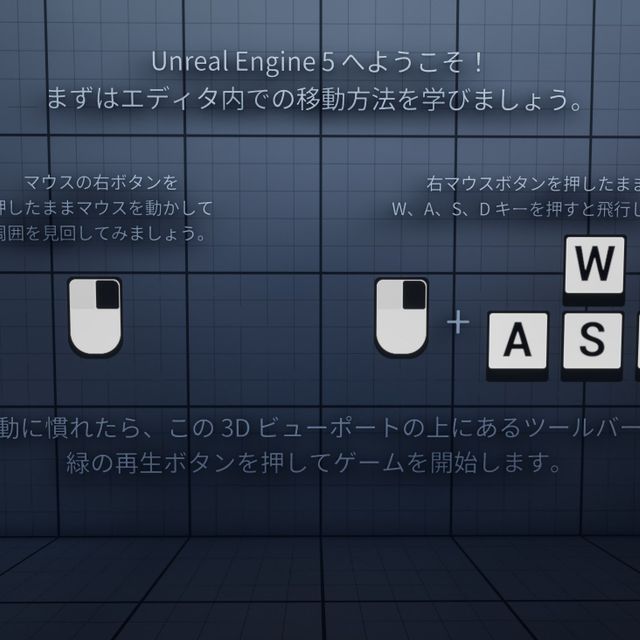 2026.09.04 に
「Intro to Unreal」テンプレート日本語版プロジェクト配布ページ | Tutorial「Intro to Unreal」テンプレートの日本語版配布ページですdev.epicgames.com
- レトロ アニメの世界を舞台にしたゲーム開発の舞台裏:『オービタルズ』のレンダリング手法
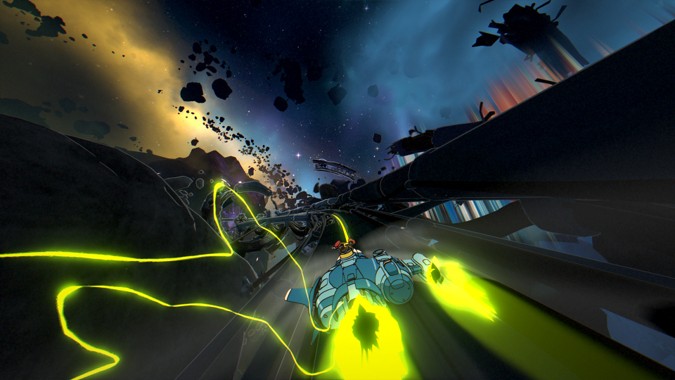 2026.09.03 に
https://www.unrealengine.com/tech-blog/stepping-inside-a-retro-anime-inspired-game-a-look-into-the-rendering-of-orbitalswww.unrealengine.com
- [スライド] [Tokyo DevDays 26'] HordeアップデートとLore入門
 2026.09.01 に
エピック ゲームズ ジャパンの[Tokyo DevDays 26′] HordeアップデートとLore入門をドクセルで読んでみよう。 #ue5 #devdays #cicd
- [スライド] [Tokyo DevDays 26'] Epic Online Servicesを使い始めるために
 2026.09.01 に
エピック ゲームズ ジャパンの[Tokyo DevDays 26′] Epic Online Servicesを使い始めるためにをドクセルで読んでみよう。 #devdays #ue5 #eos #epic online services
- [スライド] [Tokyo DevDays 26'] やるなら今!UE5.8ではじめるAnimationとMetahuman 【Metahuman編】
 2026.08.31 に
エピック ゲームズ ジャパンの[Tokyo DevDays 26′] やるなら今!UE5.8ではじめるAnimationとMetahuman 【Metahuman編】をドクセルで読んでみよう。 #devdays #metahuman #ue5
- [スライド] [Tokyo DevDays 26'] MegaLights入門 – その仕組みと最適化方法について
 2026.08.31 に
エピック ゲームズ ジャパンの[Tokyo DevDays 26′] MegaLights入門 – その仕組みと最適化方法についてをドクセルで読んでみよう。 #devdays #ue5
- [スライド] [Tokyo DevDays 26'] Iris And Mover Networking
 2026.08.31 に
エピック ゲームズ ジャパンの[Tokyo DevDays 26′] Iris And Mover Networkingをドクセルで読んでみよう。 #ue5 #devdays
- [スライド] [Tokyo DevDays 26'] マルチプラットフォームを見据えたグラフィクスのスケーラビリティ戦略
 2026.08.31 に
エピック ゲームズ ジャパンの[Tokyo DevDays 26′] マルチプラットフォームを見据えたグラフィクスのスケーラビリティ戦略をドクセルで読んでみよう。 #devdays #ue5 #ue-rendering
英語公式情報
- How a Solo Dev Made a Blueprint Online Multiplayer Game with UE in 7 Days | Inside Unreal
 2026.09.03 に
Join us as Christopher Main walks through his workflow for creating an “Online Puzzle Extraction Game” in 7 days as a solo developed project. Utilizing many Unreal Engine systems for extremely fast blueprint multiplayer iteration. This session shows quick tips for concept, retro aesthetics, 3D modeling, rigging, animation, textures, audio and more. Check out the game yourself here: https://themainstark.itch.io/spinlock Check out Christopher’s tutorials on their YouTube channel here: https://www.youtube.com/@TheMainStark Timestamps: 0:00 Opening 4:30 Introduction: Christopher Ming & Spin Lock overview 6:00 Game overview: co-op puzzle extraction with Quake vibes, live playtest setup 10:18 Past game jams: Castle Day, Squishems, and lessons learned 12:26 Live playtest begins: killing enemies, collecting codes, solving puzzles 19:18 Goals for Spin Lock: doing all art solo, 90s aesthetic 26:32 Design deep dive: spin-to-win theme & combination lock arena concept 33:39 Playtest wrap-up & general game jam advice (avoid scope creep, have fun) 35:22 Concept & pre-production: using Obsidian for design docs and mood boards 37:02 Brainstorming influences: extraction genre, puzzle design, Maze Runner 48:06 Early pitfalls: abandoning HTML5 export, restarting in UE 5.5 50:41 Day-by-day production breakdown 52:34 Final day polish: oversized weapons & last-minute bug fixes 54:45 Optimizing for low-poly retro aesthetic in Unreal 56:05 In-engine 3D modeling & rigging demo (pickaxe prop) 1:09:05 Linked animation sequences workflow demo 1:14:14 Texturing with Wall-E app for retro pixel art 1:18:14 DIY audio: mouth-made sound effects & Audacity tricks 1:26:47 Blueprint multiplayer philosophy & best practices 1:33:22 Multiplayer fundamentals: replication, net relevancy, RPCs 1:41:47 PlayFab + Unreal dedicated server tutorial overview 1:44:03 Lessons learned & general game jam advice recap 1:48:35 Post-jam expansion: Echo X reveal and playtest 1:55:47 Post-jam advice: pitch decks, vertical slices, portfolio building 1:58:01 Q&A begins 2:03:00 Q&A: PlayFab vs. EOS, learning resources, plugins used 2:11:03 Q&A: C++ vs. Blueprint, performance, in-engine character creation 2:22:17 Closing
- Beyond Native: Real-Time Scientific & Cable Simulation in UE5 | Unreal Fest Chicago 2026
 2026.09.03 に
Forget baked animations. Software developer Skyreal is bringing scientific real-time physics to Unreal Engine 5. Simulating flexible parts like hoses, wiring harnesses, and complex kinematics in real time has always been the “final boss” of industrial simulation. In this session recorded at Unreal Fest Chicago 2026, you’ll witness a world-first integration of XDE, a scientific-grade physics engine, directly into Unreal Engine. Through live, unscripted demos performed on stage, Skyreal showcases previously impossible scenarios: complex cable routing with precise flexibility, mechanical behavior, snap-fit assembly of non-rigid components, and jitter-free collision handling on massive datasets. Discover how the team pushed the boundaries of UE5 integration to achieve millimeter-accurate interactions for demanding industries including aerospace, automotive, naval, defense, energy, and beyond—turning Unreal Engine into a true engineering lab. If you’re a developer looking to bridge the gap between visual fidelity and physical truth, this session is your proof of concept. Find out more about Unreal Engine for simulation here: unrealengine.com/uses/simulation #PhysicsSimulation, #Skyreal, #XDE, #Aerospace, #Automotive, #Naval, #Defense, #UnrealEngine, #UnrealFestChicago2026
- PAK to the Future: UGC in Unreal Engine | Unreal Fest Chicago 2026
 2026.09.03 に
User-generated content (UGC) is becoming a core pillar in game development, backed with industry research showing increased revenue, player retention, and even long-term revenue increases in DLC sales. With the increased adoption by studios across PC, consoles, and mobile, understanding the production and engineering advantages of supporting UGC effectively has never been more important. With over 300 titles shipped across more than a dozen platforms, mod.io has seen these challenges first hand and understands what it takes to deliver scalable, cross-platform UGC support. This talk explores architectural strategies to implement cross-platform UGC support in your own title using Unreal Engine’s native systems. Rather than doing a deep dive into complex code, mod.io focuses on common patterns and structures to make your game easily moddable. Source code and examples are provided to prove these concepts. They look at how the Asset Manager enables data-drive loading of content, how plugins create clean extension points, how subsystems help isolate UGC logic from core gameplay, and how modular gameplay patterns support safe, scalable runtime modifications. They also discuss how to build tools to support your creators across all platforms, and how mod.io has helped studios integrate these patterns into real shipped titles. Finally they dig into what the future of UGC holds as creator expectations grow, and Unreal Engine’s ecosystem continues to expand. Find out more about using Unreal Engine to develop games here: unrealengine.com/uses/games #UserGeneratedContent, #mod.io, #AssetManager, #UnrealEngine, #UnrealFestChicago2026
- Building Together: Collaboration & Branching Workflows in UEFN | Unreal Fest Chicago 2026
 2026.09.02 に
Collaboration and iteration on Unreal Editor for Fortnite (UEFN) projects gets more challenging as teams and roadmaps grow. In this session recorded at Unreal Fest Chicago 2026, we demonstrate Unreal Revision Control basics as well as recently released branching workflows that provide you and your team more flexibility to plan, iterate, and achieve your vision together. We discuss how branching enables safe experimentation, helps teams develop features in parallel, and enables you to plan releases more confidently. Find out more about using UEFN to develop games here: fortnite.com/developer/tools #UnrealRevisionControl, #UnrealEditorForFortnite, #UEFN, #Fortnite, #GameDevelopment, #UnrealFestChicago2026
- The Blood of Dawnwalker | Developer Interview | Unreal Engine
 2026.09.02 に
Watch this video to learn about the debut project from Warsaw-based developer Rebel Wolves and sink your teeth into the reasons Unreal Engine 5 was chosen. ‘The Blood of Dawnwalker’ is an ambitious open world dark fantasy action RPG set in 14th-century Europe. In it, you play as Coen, a human by day and vampire by night, fighting to save your family in a story shaped by your actions and the secrets you uncover. After evaluating their options, Rebel Wolves selected Unreal Engine 5 for key features including World Partition, Lumen, Sequencer, and Blueprints. Press play to discover how UE5’s tools and workflows helped reduce iteration times and improve collaboration between teams. To get the full story, read our interview with Rebel Wolves here: https://epic.gm/dev-interviews-blood-of-dawnwalker #rebelwolves , #TheBloodOfDawnwalker, #GameDevelopment, #UE5. #RPG, #WorldPartition, #Lumen, #Sequencer, #BlueprintVisualScripting, #RPG, #DarkFantasy
- Template Abilities | Creating in Fortnite
 2026.09.01 に
Join us for Creating in Fortnite: Template Abilities, a practical livestream exploring how to use Template Abilities to create reusable gameplay abilities more efficiently in UEFN. Template Abilities are part of the Ability System, the framework for building extensible, reusable gameplay abilities in Verse. They give you a timeline-driven path so you don’t have to write custom activation logic from scratch. You get a structured way to define how an ability plays out over time—from targeting and activation to projectiles and gameplay effects—making it easier to build, iterate on, and reuse abilities across your games. Learn more about Fortnite Template Abilities
#Fortnite #UEFN #FortniteCreative #UnrealEditorForFortnite #gamedevelopment Timestamps: 0:00 Opening 4:21 Introductions (Andrew Ruffini & Todd Eckert) 6:04 What are ability templates? 8:54 Demo start: sandbox setup & ability component overview 11:02 Ability component deep dive: input triggers, target queries, timeline elements 16:36 Demo: sticky grenade, orb shooter, teleport, icy flips & sky cast abilities 20:54 Code walkthrough: projectile base component & sticky grenade logic 25:07 Code walkthrough: sky cast multi-animation timeline 27:35 Triggering abilities without input (NPC use case) & building a bot 32:20 Q&A: slowing players, Star Wars-style powers, NPC abilities 35:36 Q&A: key bindings, ragdoll, damage types, damage popups 38:24 Q&A: projectile spawn origin, visual cooldowns, LUF naming question 43:30 Q&A: modifying speed on hit + live bot demo (icy feet ability) 47:48 Q&A: what “template” means, movement/dodge/flying abilities 52:00 Q&A: hit events, ability canceling, character scaling, status effects 56:24 Q&A: custom ability components, damage source bug 1:00:23 Q&A: path out of experimental status 1:03:56 Q&A: prediction on server-only Verse, future timeline features 1:09:07 Closing thoughts, community feedback ask & shoutouts 1:11:33 ClosingFortnite Template Abilities in Unreal Editor for Fortnite | Fortnite Documentation | Epic Developer CommunityCreate simple and responsive Fortnite timeline-driven abilities.dev.epicgames.com - Project Health in Unreal Engine: The Technical Indicators That Matter | Unreal Fest Chicago 2026
 2026.09.01 に
The Technical Developer Relations team at Epic, based on their experience supporting customers and their own work with Unreal Engine, has identified a selection of cross-discipline indicators that often influence the outcomes of real-time projects. Jam-packed with resources, this session recorded at Unreal Fest Chicago 2026 explains what these key indicators are, why they’re important, what types of projects they affect most, where in the lifespan of a project they’re most impactful, and how to implement Epic-recommended best practices. Topics covered include optimization, fidelity, scalability, engine version integration, build health, iteration workflows, project settings, and avenues for additional learning. Although each of these topics touches on a number of features that could (or already have) separate deep dives, we spend our time fitting all these pieces together from an implementation-focused perspective. This session specifies which of the key indicators are set-and-forget or need cadenced reviews; which phases of a project are most practical for implementing each recommendation; and which specialists are needed for implementation. The presentation includes a shortlist of several must-know resources, including recorded talks, templates, articles, and more. It also provides the context and clarity needed for developers to parse the in-depth resources shown and confidently implement these important best practices in their work. Find out more about Unreal Engine here: unrealengine.com #GameOptimization, #UnrealEngine, #UnrealFestChicago2026
- Incremental Cooking in UE 5.7: A Dive Into the UE Cook Pipeline | Unreal Fest Chicago 2026
 2026.09.01 に
By default, Unreal Engine projects fully recook on every invocation: each package to ship is loaded and saved, with partial but not full caching. On large projects, it can take hours for every execution. Since UE3, Unreal Engine has supported opt-in iterative cooking, in which only changed packages are loaded and resaved. The legacy version of iterative cooking does not detect all dependencies, however, so some packages are skipped when they should not be and stale data is used at runtime. In UE5, we’ve added more robust dependencies into the iterative cook; this new version is now the default in 5.7 and is called incremental cooking to distinguish it from the simpler legacy iterative mode. Incremental cooking has some dependencies (ZenServer, TObjectPtr, programmer guidelines for C++ changes) that are required either for it to be enabled or for it to work correctly. In this talk recorded at Unreal Fest Chicago 2026, we present what is necessary to make incremental cook fully enabled on your project, report the results we have seen on our internal projects, and discuss the remaining work still in progress. Find out more about Unreal Engine here: unrealengine.com #IncrementalCooking, #UE5.7, #ZenServer, #UnrealEngine, #UnrealFestChicago2026
